Attaching and detaching volumes
Limitations
- You can only attach and detach non-boot volumes.
Prerequisites
-
A volume is created, as described in Creating and deleting volumes.
-
To be able to use volumes attached to VMs, they must be initialized inside the guest OS by standard means.
To attach a volume to a virtual machine
-
On the Volumes screen, click an unused volume.
-
On the volume right pane, click Attach.
-
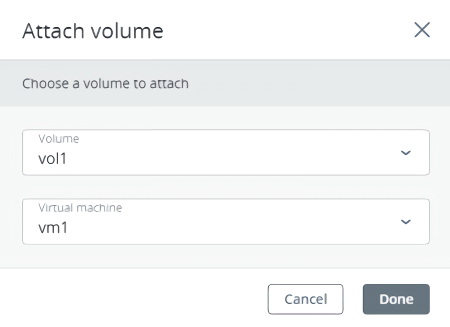
In the Attach volume window, select the VM from the drop-down list, and then click Done.
To detach a volume from a virtual machine
-
On the Volumes screen, click a volume that is in use.
-
If the VM is stopped, click Detach on the volume right pane.
-
If the VM is running, click Force detach on the volume right pane.
There is a risk of data loss.