Creating and deleting projects
Limitations
- A project cannot be deleted if it has virtual objects.
Prerequisites
- A domain administrator must have the Project and quota management permission granted, to be able to create projects.
To create a project
-
Select the domain in the drop-down list in the top right corner.
-
Open the Projects screen and click Create project.
-
In the Create project window, specify the project name and, optionally, description. The project name must be unique within a domain.
A description should not contain any personally identifiable information or sensitive business data.
-
Clear the Enabled check box to disable the created project.
-
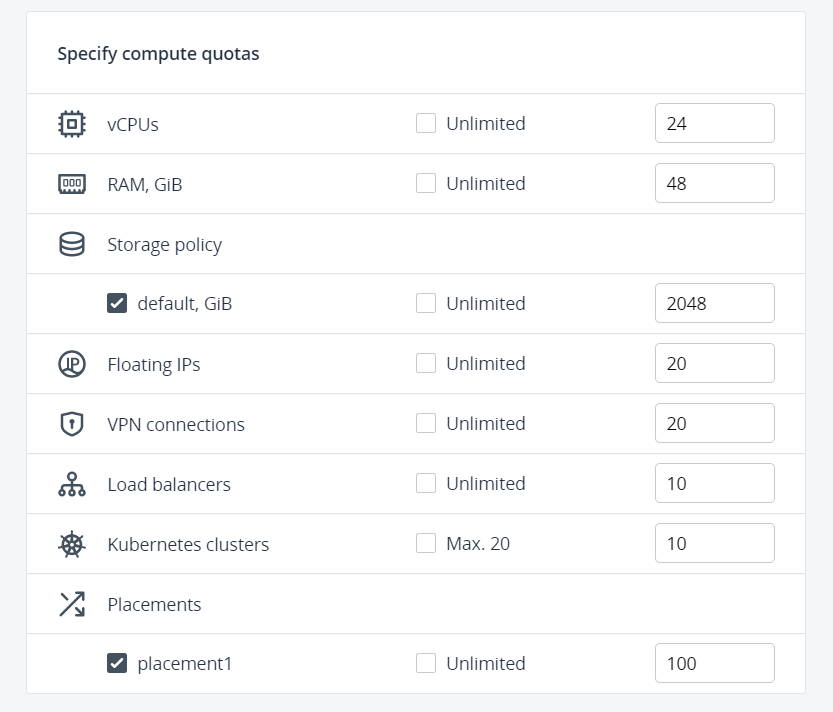
Define quotas for virtual resources that will be available inside the project. To specify a certain value for a resource, clear the Unlimited check box next to it first.
- Click Create.
To delete a project
-
Select the domain in the drop-down list in the top right corner.
-
On the Projects screen, click the ellipsis icon next to the project, and then click Delete.
-
In the confirmation window, click Delete.