Creating images from volumes
To create multiple VMs with the same boot volume, you can create a template from an existing boot volume and deploy VMs from it.
Prerequisites
-
Linux virtual machines have cloud-Init installed, as described in Preparing Linux templates.
-
Windows virtual machines have Cloudbase-Init and OpenSSH Server installed, as described in Preparing Windows templates.
-
Logging is enabled inside a virtual machine, as instructed in Enabling logging for virtual machines.
To create a template from a boot volume
-
Power off the VM that the original volume is attached to.
-
Switch to the Volumes screen, click volume’s ellipsis button and select Create image.
-
In the Create image window, enter an image name, and then click Create.
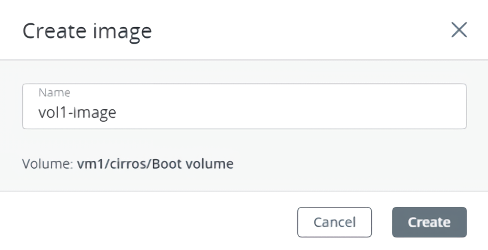
The new image will appear on the Images screen.